How to Delete Your Roblox Account
Whether you're taking a break from Roblox or want to permanently remove your presence from the platform, deleting your account isn't as simple as clicking a button. Here's exactly how to do it.
Credit: Roblox Corporation
📖 In this guide
⚠️ Think carefully before deleting
This action is permanent and irreversible. Once your account is deleted:
- All game progress, items, Robux, and purchases are lost forever
- Your username becomes available for others to use
- You cannot recover any data or transfer it to a new account
- If you want to play Roblox again, you must start from scratch
Consider temporary deactivation or just taking a break instead of permanent deletion.
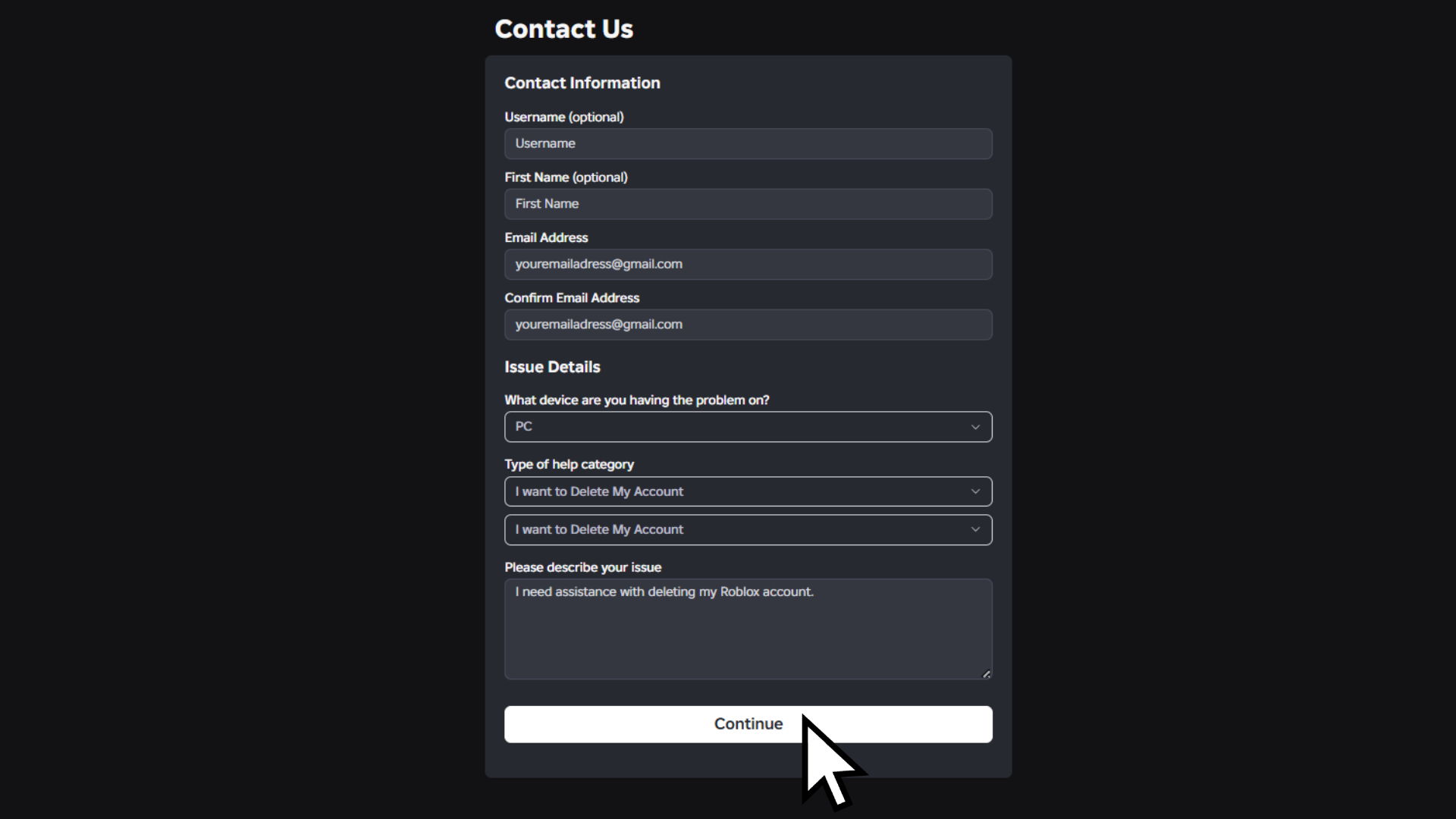
Open your browser and go to the Roblox Support form. Make sure you're logged into the account you want to delete before proceeding.
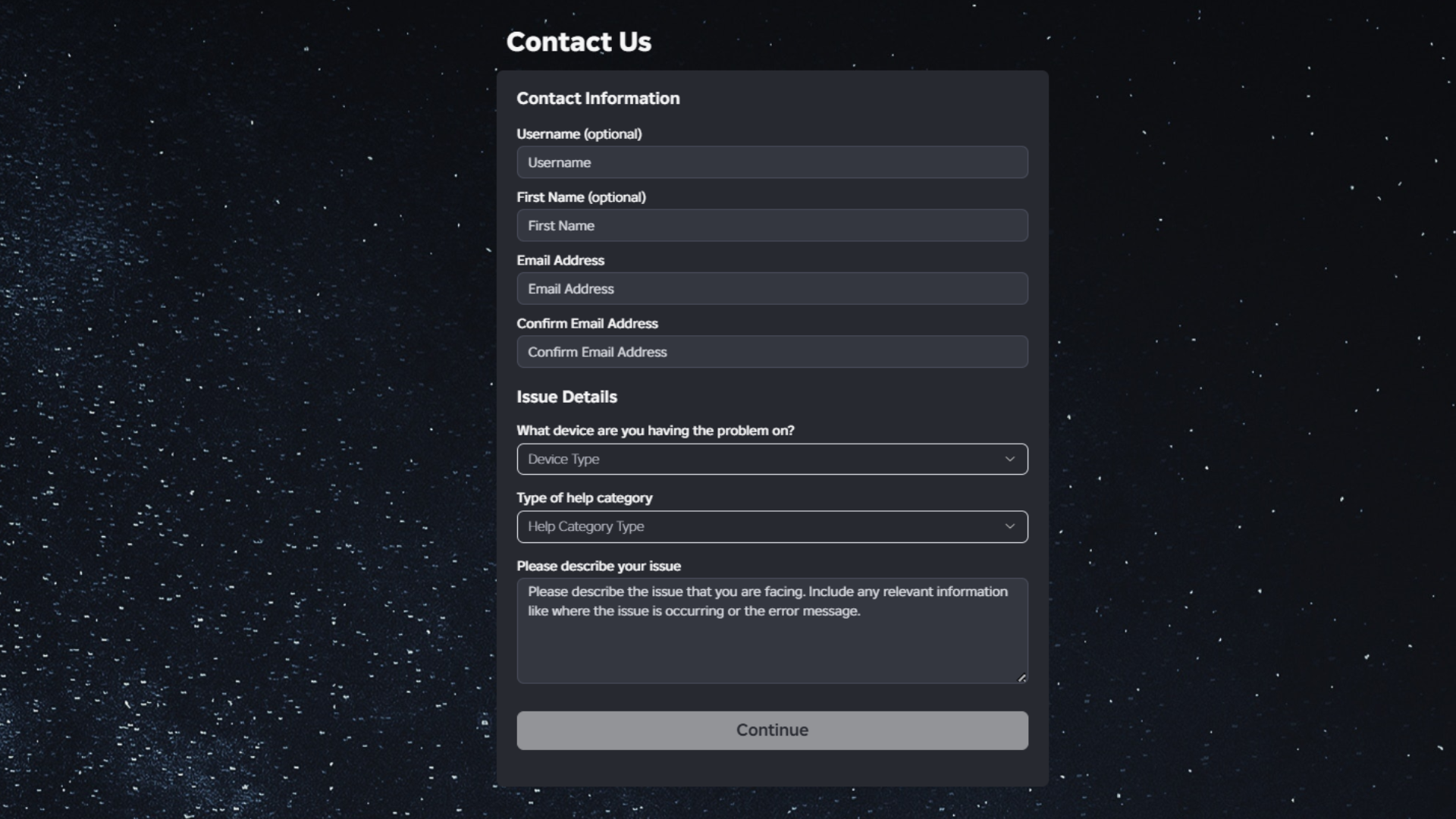
Fill in your email address. You'll need to verify it twice – Roblox wants to be absolutely sure it's you. Your username and first name are optional but recommended.
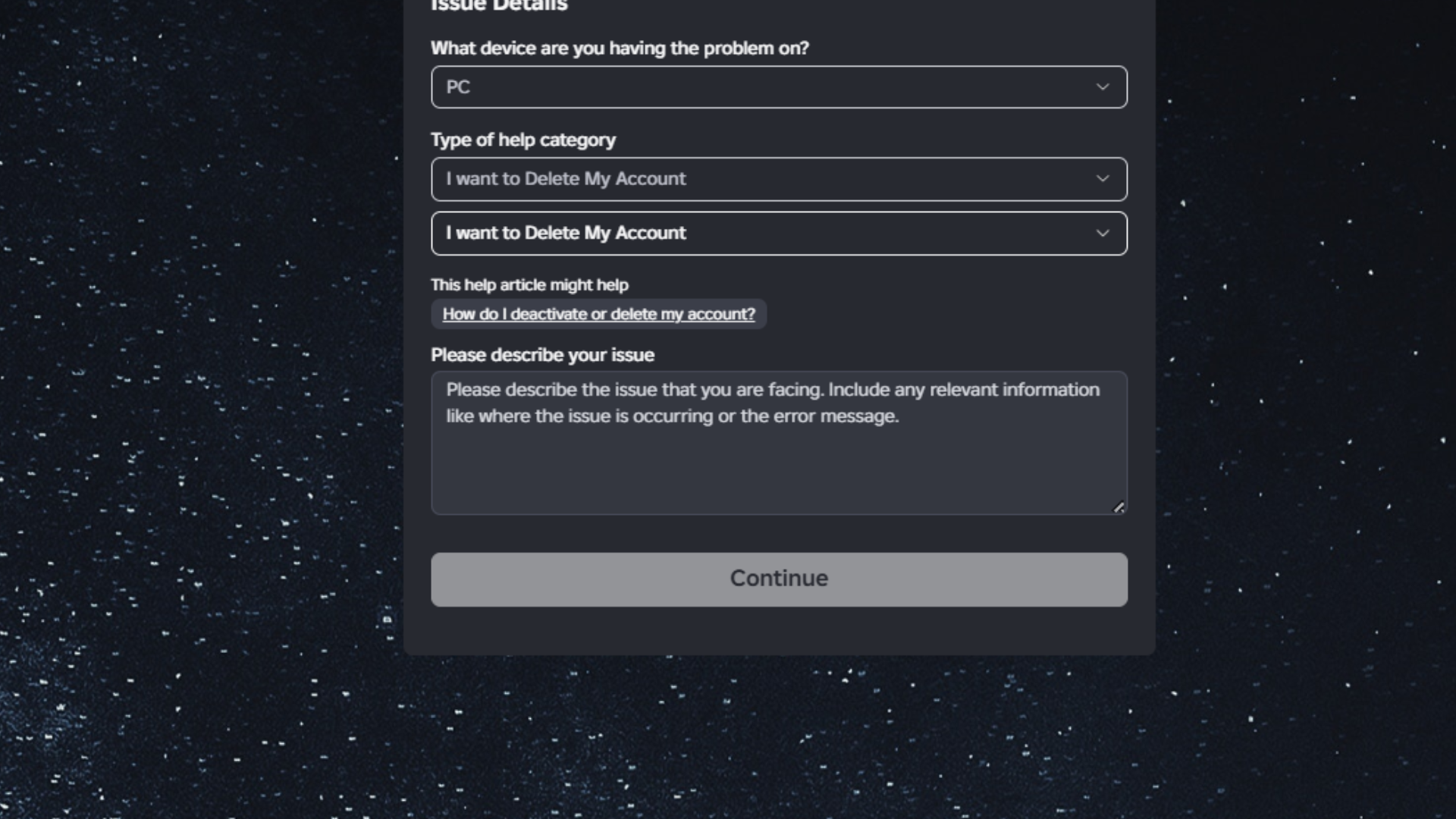
Under "Type of help", select "Delete My Account" from the dropdown menu. You'll be prompted to confirm this selection twice.
In the "Description of issue" field, clearly state that you want to permanently delete your Roblox account. You can add a brief reason if you want, but it's not required.
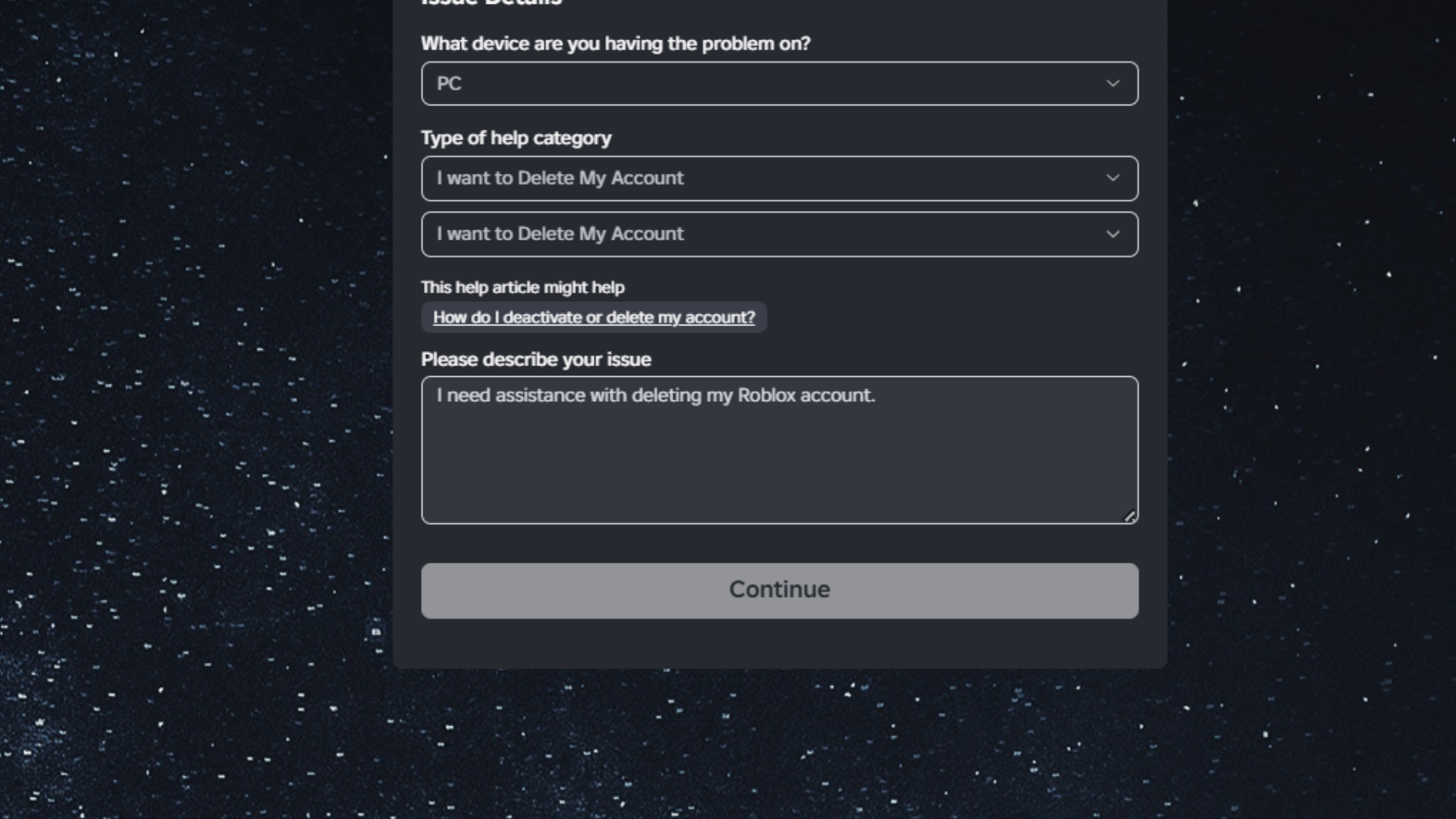
Click "Submit" and wait for Roblox Customer Support to respond. This usually takes 1-3 business days. They'll send you an email with:
- Confirmation that they received your request
- Additional verification steps (if needed)
- Final confirmation when your account is deleted
🔄 Alternative: Data Privacy Request Method
Some users prefer the privacy request route. Here's how:
- In the Support form, select "Data Privacy Request" as the help type
- Choose "Right to be Forgotten (RTBF)" from the sub-options
- Complete the same verification process
- Submit and wait for confirmation
❓ Frequently Asked Questions
How long does account deletion take?
Once Roblox Support confirms your request, deletion is usually processed within 7-14 days. They'll email you when it's complete.
Can I cancel a deletion request?
Yes, but only before it's processed. If you change your mind, reply to the confirmation email immediately and ask to cancel the request.
What happens to my Robux and items?
Everything is permanently lost – Robux, game passes, limited items, and all progress. There is no refund or transfer option.
Will my username become available?
Yes, after deletion, your username returns to the pool and can be claimed by anyone.
Can I just deactivate my account instead?
Roblox doesn't offer a deactivation feature – it's either active or permanently deleted. If you're unsure, just stop playing and keep your account.